dbt Documentation: Generate dbt Project documentation
Effective documentation ensures that users can understand and utilize the datasets developed within your dbt projects. dbt supports robust documentation generation and is presented as a static website.
Overview
dbt documentation includes:
- Project Insights: Includes model code, a DAG visualization of your project, and test details.
- Data Warehouse Metadata: Provides details like column data types and table sizes, sourced from information schema queries.
- Descriptive Annotations: Allows annotations on models, columns, sources, etc.
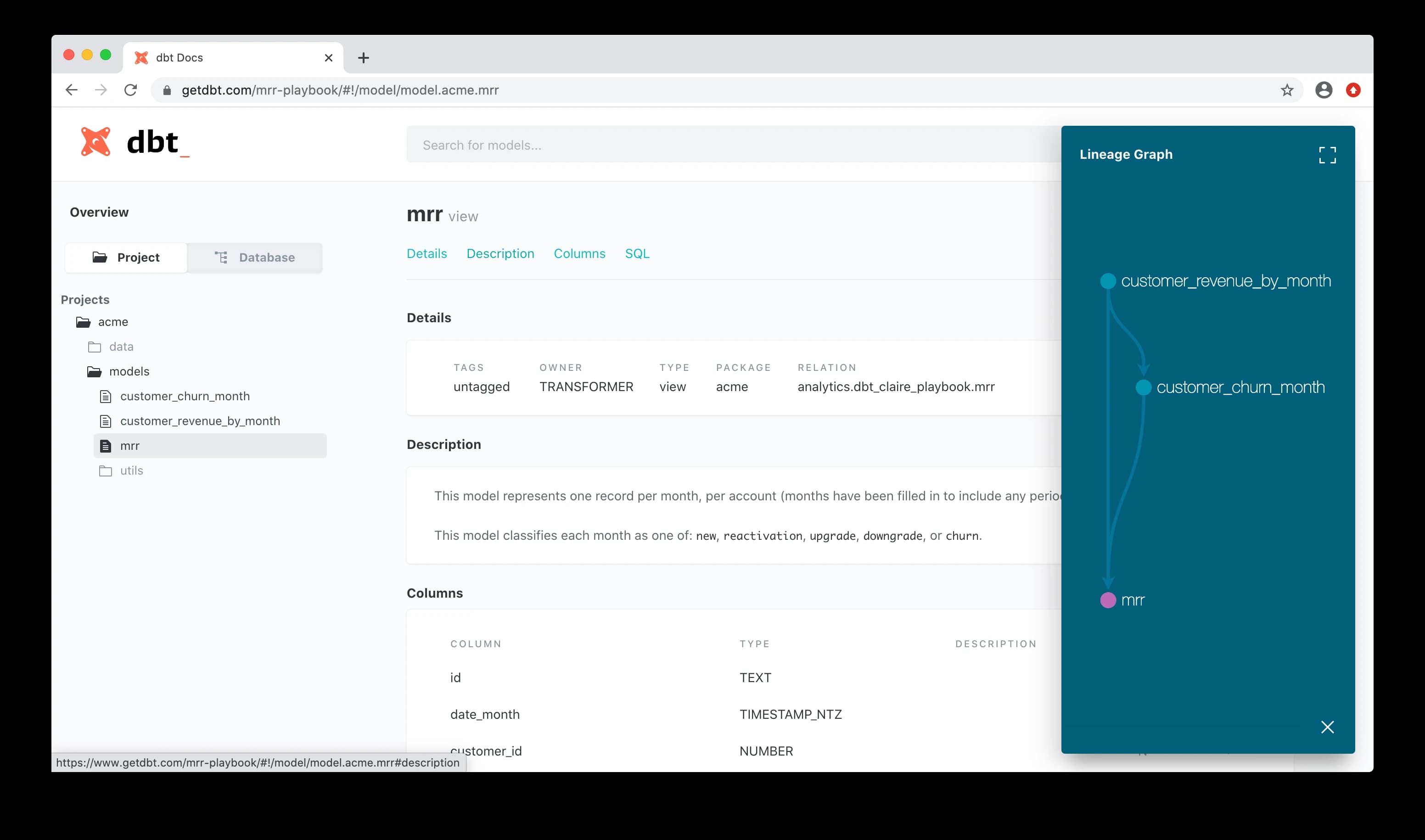
Image credit: dbt
How to Add Descriptions to Your Project
Incorporate descriptions in your project using the description: key in the configuration files:
Generate and Serve Documentation
You can generate and serve your project's documentation with these commands:
- Generate documentation:
_10dbt docs generate
This compiles data about your dbt project and warehouse into manifest.json and catalog.json.
- Serve documentation locally:
_10dbt docs serve
This command serves the documentation locally from the .json files.
Using Docs Blocks
Syntax
You can define extended markdown content in docs blocks, which must be uniquely named using the Jinja docs tag.
Docs blocks should be placed in files with a .md file extension. By default, dbt will search in all resource paths for docs blocks.
Docs Blocks Usage
To use a docs block, reference it from your schema.yml file with the doc() function:
In the resulting documentation, {{ doc("table_orders") }} will be expanded to the markdown defined in the table_orders docs block.
Setting a Custom Overview
The “overview” shown in the documentation website can be overridden by supplying your own docs block named overview.
Advanced Documentation with Y42
Y42 offers advanced AI-assisted tools that simplify the documentation process for data models, enhancing clarity and consistency across projects with minimal manual effort.
Features of Y42’s Documentation Tools:
- Single Column Documentation: Generate descriptions for individual columns.
- Bulk Column Documentation: Update all column descriptions in a model simultaneously.
- Model Descriptions: Generate detailed descriptions that capture the essence and functionality of the entire data models based on the model definition.
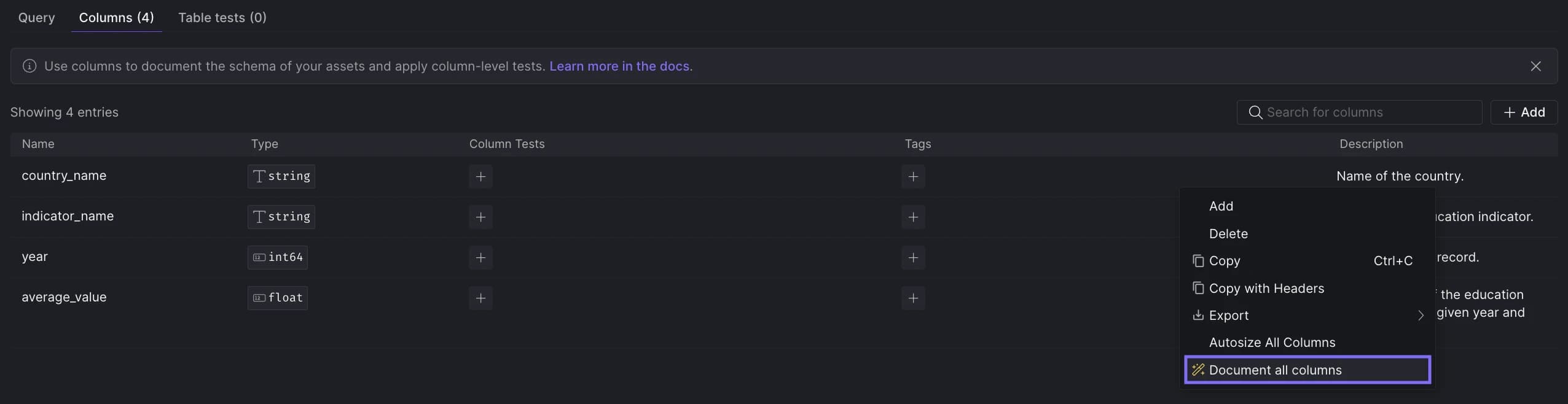
Generating descriptions for all columns.
These tools help maintain up-to-date and informative documentation, allowing team members to better understand and utilize data models effectively. For more details on these features, visit the Y42 documentation (opens in a new tab).
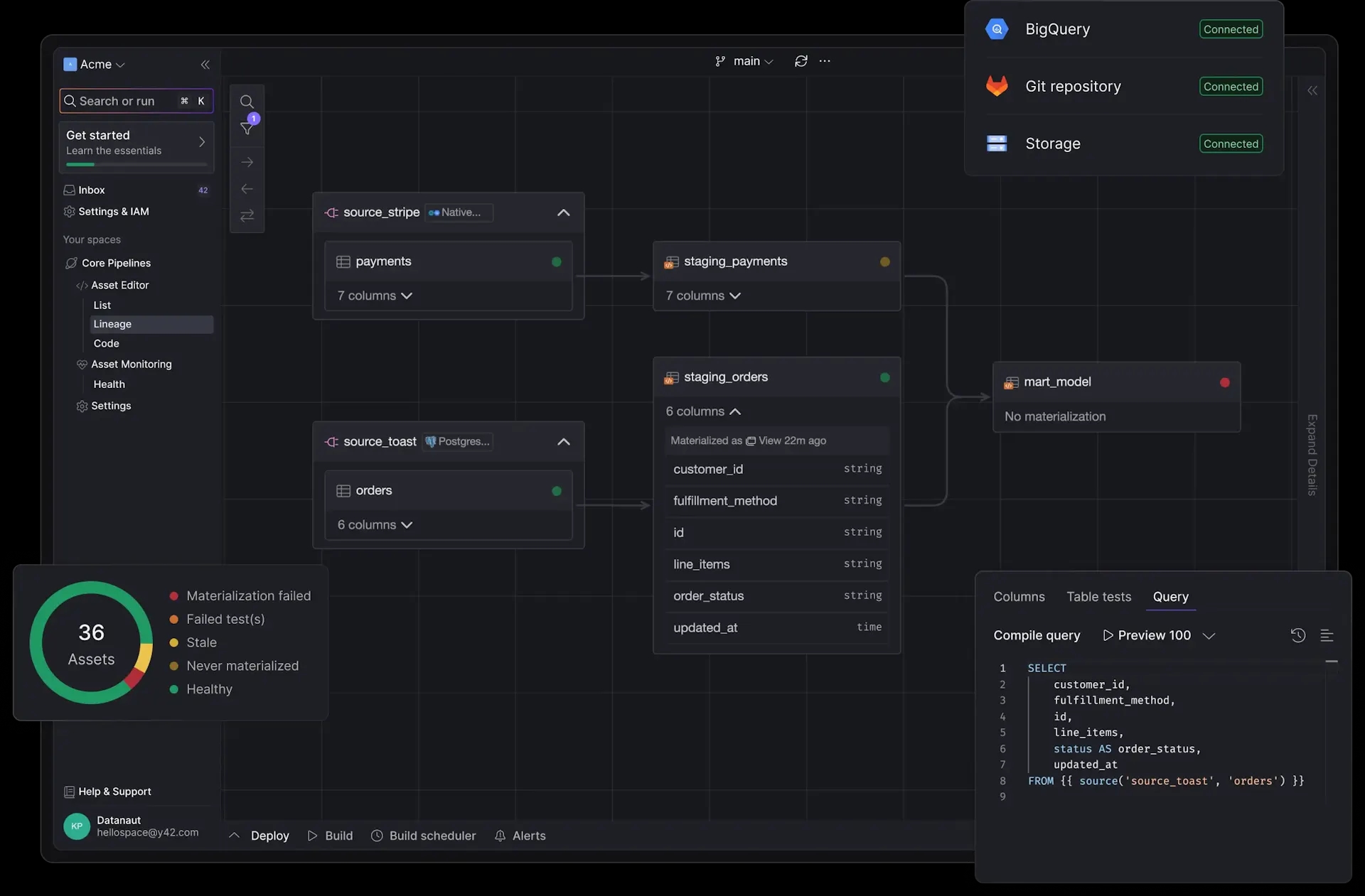
Manage Sources and dbt Models in one place
Build end-to-end pipelines using a single framework.
Get Started